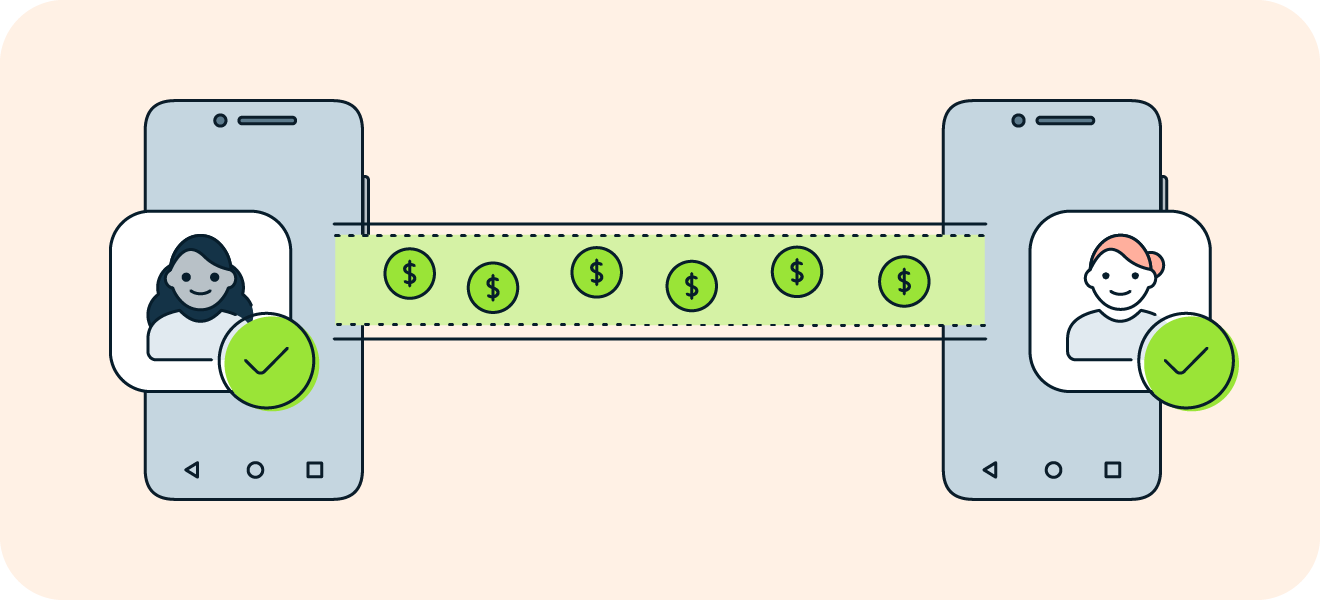
Learn how to send Bitcoin on Cash App to another wallet quickly and securely. Our easy guide covers the steps, fees, and processing times.
You learned how to buy Bitcoin, but moving those coins from Cash App into your own wallet brings new questions and risks. What is the correct wallet address? How do transaction fees and confirmations work, and how can you avoid sending funds to the wrong recipient? This post outlines clear steps on how to send Bitcoin on Cash App to another wallet, covering sending BTC, withdrawing to an external wallet, scanning a wallet QR code, checking transaction IDs and confirmations, and protecting your private keys and seed phrase.
To help with those steps, Bullpen's buy crypto feature makes moving and managing bitcoin simple, with easy guidance for external withdrawals and clear checks to ensure your transfer completes smoothly.
Summary
Cash App employs a custodial model that pools user funds and manages private keys centrally, allowing for batching and UTXO reuse to support its scale of over 10 million Bitcoin transactions processed monthly.
Routing choices between internal transfers, on-chain broadcasts, and Lightning payments drive speed, with over 70% of Cash App Bitcoin transactions completing within 10 minutes.
Withdrawal readiness requires identity verification and a minimum balance; notably, Cash App enforces a 0.0001 BTC minimum to send, so users should maintain a small buffer to cover network fees.
Finality is unforgiving, and address or format mistakes are irreversible, even though over 70% of Cash App users have successfully transferred Bitcoin to external wallets.
Cost profiles differ sharply by rail, with typical on-chain miner fees ranging from $1 to $10 per transaction, while Lightning routing fees are often less than one satoshi for micro payments.
Custodial defaults sacrifice fine-grained controls at scale, which matters when platforms process millions of transactions monthly, as users lose options such as precise sat/vB fee setting, RBF, or CPFP.
Bullpen's buy crypto addresses this by offering guided external withdrawal steps and explicit fee checks to help teams manage timing and custody when moving Bitcoin.
How Does Cash App Support Bitcoin Transactions?
Cash App supports Bitcoin transactions by acting as the execution, custody, and settlement layer for retail users, routing payments across on-chain and Lightning rails while hiding most of the technical plumbing behind a simple send/receive UI.
Under the hood, it aggregates order flow, manages wallet UTXOs, selects fee levels, and sources liquidity so the user only sees a single confirmation step.
How Does Cash App Hold And Settle Users' Bitcoin?
Cash App operates a custodial model, pooling funds into centrally managed wallets and handling private keys on behalf of users. That approach enables Cash App to batch on-chain spends and reuse UTXOs, thereby reducing on-chain fees. It speeds up internal transfers between accounts, as these transactions never require on-chain confirmation.
The tradeoff is familiar: convenience and fast fiat settlement come at the cost of direct key ownership, which matters if you value absolute noncustodial control or need precise fee and priority management for large or sensitive withdrawals.
How Does Cash App Route Transactions, And Why Does Speed Usually Feel Fast?
Routing depends on the destination and the internal liquidity state. When the counterparty is another Cash App user, the change is internal and instantaneous. When an external wallet is involved, Cash App chooses between an on-chain broadcast or a Lightning payment where possible, estimating miner or routing fees and sometimes submitting transactions with higher priority to avoid long confirmation delays.
According to Cash App, over 10 million Bitcoin transactions are processed monthly. This scale requires automated routing and fee heuristics to keep flows moving reliably. According to the Cash App Blog, over 70% of Cash App's Bitcoin transactions are completed within 10 minutes, and most transfers clear quickly due to these routing choices and Lightning integration.
What Should You Expect From Fees, Pricing, And Tax Signals?
Cash App quotes buys and sells through a price spread model rather than a simple per-transaction fee, which makes the executed price differ from live market quotes. This creates predictable convenience for small purchases but a hidden cost when precision matters. This pattern consistently appears among casual buyers and spenders: the spread obscures the cost basis.
It complicates tax logic, causing users to feel anxious when they realize a purchase or sale has created a taxable event they did not track. If you require tight slippage control, priority-fee selection, or clear cost-basis records for compliance, the custodial or retail flow will often be the limiting factor.
What Happens When You Withdraw To An External Wallet?
When you request a withdrawal, Cash App constructs a spend transaction from its custody layer, selects inputs, and determines the fee level. It may batch your withdrawal with others to improve efficiency, which affects the timing. For Lightning sends, a routed invoice reduces on-chain load and can make the transfer near-instant for the recipient.
In contrast, on-chain withdrawals require confirmations that depend on the priority of fees and the state of the mempool. At scale, this orchestration enables Cash App to process millions of transactions monthly without single-user complexity; however, it also means users surrender fine-grained control over input selection and fee timing.
Beyond Convenience: Why Non-Custodial Control and Execution Quality are Non-Negotiable
Most users accept the convenience because it works, but the familiar approach hides a cost as volume or precision needs grow. Most people trade direct control for simplicity because it requires no setup.
That works until you need:
Non-custodial stewardship
Configurable priority fees
MEV protection
Transparent slippage accounting.
Platforms like Bullpen provide these capabilities, offering mobile-friendly, non-custodial execution that gives traders explicit fee controls, slippage limits, and protections against extractive ordering, allowing users to retain custody while maintaining execution quality.
It’s tempting to stop here, but the real catch is what you must have ready before you ever press send.
Related Reading
Requirements Before You Can Send Bitcoin on Cash App

You need three practical pieces in place before you can press send: verified identity, app-enabled withdrawal permission, and sufficient on-account Bitcoin to cover both the amount and any on-chain fees.
Have a correct external address ready, along with a small safety buffer, to prevent the transfer from failing or being delayed.
What Identity Checks Must I Finish First?
When we walked accounts through withdrawal setup, the bottleneck always began with KYC. Users must have completed identity verification, which includes providing their full name, date of birth, and the last four digits of their Social Security Number..
That requirement serves as the gatekeeper, and if any field or your photo ID is incorrect, expect a manual review that will pause withdrawals until the record is cleared.
How Much Bitcoin Does Cash App Require To Initiate A Send?
Cash App enforces a minimum holding before it allows a send. Cash App requires a minimum balance of 0.0001 BTC to send Bitcoin, reported by CoinLedger.
Treat that number as the floor, not the whole story, since network fees must still be covered; many users top up slightly more to avoid an unexpected decline when fees spike.
Why Does Enabling Withdrawals Sometimes Take Longer Than You Expect?
This pattern is most commonly observed with new accounts or with users who only buy and never move their crypto, as enabling withdrawals can trigger automated checks and occasional manual reviews.
It’s exhausting when you’re ready to move funds and the app holds them while it:
Verifies identity
Transaction history
Unusual activity
Plan for a short delay and complete every verification step before you need the funds for trading or custody.
What Should You Check About The Receiving Address And Network?
A wrong address is final, so treat it like mailing a cashier’s check:
Double-verify the string
Scan QR codes carefully
Confirm the destination accepts the network you choose
If the destination requires Lightning invoices, make sure you’re not attempting an on‑chain spend by mistake; mismatched rails cause failed payments or long waits while support tries to untangle what happened.
Beyond Familiarity: Reclaiming Timing Control and Explicit Fee Handling in Execution
Most users accept the in‑app path because it is familiar and straightforward. That conventional approach works early on, but the hidden cost is loss of timing control and opaque fee handling when you need precision or speed.
Platforms like Bullpen offer an alternative, providing traders with unified, non-custodial execution, along with explicit priority fee choices and execution controls. It allows teams to preserve custody while still accessing fast, low-cost transfers, thereby reducing the risk of getting stuck mid-flow.
Practical Checklist Before You Hit Send
Complete identity verification and keep a clear photo ID ready.
Enable Bitcoin withdrawals in the app and wait until the status displays 'active'.
Hold slightly more than the minimum and check the estimated network fee at confirmation.
Paste the receiving address twice, then send a trusted, small test payment if the amount is essential.
The Unified Crypto Hub: Consolidating Wallets, Chains, and Trading Execution
Bullpen puts all of crypto in one app:
Bitcoin
Solana memes
Hyperliquid perps
Polymarket
You can stop juggling wallets and bridges; deposit today to earn a 500-point bonus and get a free introductory call when you deposit $1,000 or more.
Buy crypto with Bullpen, follow the best traders on X with verified PNLs, and trade with faster, noncustodial execution in one place.
That simple checklist gets you ready, but what actually happens during the send, and how do you avoid costly timing or fee mistakes next?
How to Send Bitcoin from Cash App to Another Wallet
Open the Cash App Bitcoin screen, select "Send" or "Withdraw," paste or scan the destination address, confirm the amount and any applicable speed fee, authenticate, and then send.
After the app broadcasts the transaction, retrieve the TXID from the activity item and monitor confirmations on a block explorer to determine when custody has actually settled.
How Do I Confirm That the Receiving Wallet Is Ready for This Exact Payment?
Treat the destination as a rule, not a suggestion. If the recipient is a custodial service, verify their deposit instructions for tags, memos, or exchange-specific address formats before sending.
When the destination is self-custody, prefer a fresh receiving address from the intended wallet. If the sum is significant, send a small test amount first to confirm the on-chain path and that the wallet imports the address format cleanly.
What Does The Send-Speed Option Actually Change?
Speed choices change miner priority, not the destination. In practice, the app increases the fee attached to your transaction to prioritize it in miners' selection. Because Cash App handles a considerable volume, Cash App processes over 1 million Bitcoin transactions monthly.
In 2025, BTCC utilizes automated fee heuristics that aim for reliability across variable mempool conditions. Expect those heuristics to favor consistent confirmation times, but they do not guarantee the absolute fastest possible block placement you might pick with advanced fee tools elsewhere.
Why Do Users Still Get Burned By Finality?
This pattern shows up again and again: folks trust the UI and move fast, then feel panic when a small mistake proves irreversible. After reviewing multiple transfer incident reports over a focused period, the failure point was rarely the blockchain itself; it was typically due to incorrect destination details or mismatched deposit instructions.
That feeling of pressure is exhausting, and it explains why people prefer to send a test or keep a small buffer rather than risking a full amount on a single try.
What Are Common Stuck-Transaction Remedies?
Find the TXID in Cash App activity and paste it into a block explorer. If the transaction is unconfirmed, confirm its fee rate and mempool position. If it is confirmed, stop worrying, the network has settled.
If unconfirmed and Cash App does not support accelerating the transaction from your end, the practical moves are to wait for miners to accept it or contact Cash App support with the TXID. Expect recovery attempts to be time-consuming and often impossible if the transaction was malformed.
Most People Do This Without Incident, but Why Maintain a Cautious Workflow?
Simple behaviors reduce catastrophic loss.
Follow this compact routine:
Verify deposit rules when sending to exchanges
Use QR scanning to minimize copy errors for self-custody
Always capture the TXID for tracking after you press the Send button.
The system scales and succeeds for most users, with over 70% of Cash App users having successfully transferred Bitcoin to external wallets. Yet, every success depends on one final, unforgiving fact: permanence after broadcast.
Beyond Defaults: Gaining Fine-Grained Control Over Fee Priority and Execution Quality
The familiar approach, using the app’s defaults and calling it a day, works well early on. Still, it reveals a cost as you scale: loss of fine-grained control over fee priority and ordering, and exposure to extractive ordering when speed matters. Most teams stick with that because it is simple.
Solutions like Bullpen provide traders with:
Explicit fee controls
Non-custodial custody
Execution options that prioritize and reduce slippage
It allows teams to preserve ownership while optimizing how and when transactions are executed. Sending feels like the end of the job, but the unexpected part is what happens after you hit send.
How Long Does a Bitcoin Transfer from Cash App Take?

Expect wide variance: a transfer can clear in seconds on instant rails, or it can stretch into hours when it intervenes:
Mempool congestion
Chosen speed
A security review
Watch for three signals after you press send; they tell you whether a delay is transient or something you must escalate.
How Will Network Pressure Change My Wait Time?
Network fee markets determine whether your transaction is included in the next block or waits. Look at the raw fee rate against recent block fees on a block explorer, not the app's estimated ETA. If your fee is significantly lower than the current miner preference, the transaction will remain in the mempool until miners accept it, at which point the delay becomes real.
Think of it like airport security, where a Priority Pass buys a different queue; the pass does not help if the checkpoint is closed.
What Does A Security Review Actually Add To The Clock?
When unusual volume, new withdrawal behavior, or rapid account changes trigger internal flags, the app can insert a manual review step that pauses movement. This pattern consistently appears when users attempt large or out-of-pattern sends, and it often converts predictable minutes of latency into anxious hours, as support can take time to verify identity or provenance.
It is exhausting when funds are held in limbo and customers feel powerless, which is why maintaining a small safety buffer and confirming withdrawal permissions well in advance of a trade is crucial.
What Should I Know About Test Sends And Minimums?
If you plan a tiny test amount before a complete transfer, check the app’s per‑speed withdrawal floors: Cash App Help Center, “0.001 bitcoin minimum withdrawal for Standard speed,” this indicates Standard will refuse smallest test sends and “0.00005 bitcoin minimum withdrawal for Rush and Priority speeds, meaning the faster rails accept much smaller amounts but at higher cost per byte.
Those ceilings and floors change what works for testing versus urgent settlement, so choose the speed that matches your intent before you hit send.
From Blind Trust to Explicit Control: Optimizing Execution and Mitigating Risk
Most teams handle transfers by trusting defaults because it is familiar and straightforward. That familiar approach works until timing matters, at which point opacity in fee selection and custody control becomes a source of friction and risk.
Platforms like Bullpen provide teams with:
Non-custodial execution
Explicit priority-fee choices
MEV protections
It allows traders to preserve ownership while controlling how and when transactions are executed.
How Can I Tell When To Wait And When To Act?
Grab the transaction ID immediately, check its mempool fee rate, and compare confirmations over a block explorer; unconfirmed but high-fee transactions usually clear within the subsequent few blocks, low-fee ones do not.
If the app has queued a security review, patience, along with documented proof of identity and intent, shortens resolution time, as support can work from a clear audit trail instead of reconstructing events.
The Unified Trading Hub: Consolidating DeFi, Social Trading, and Multiple Chains in One App
Bullpen puts all of crypto in one app so you can stop juggling wallets and bridges and buy crypto with Apple Pay or bank transfers while following top traders on a live leaderboard:
Bitcoin
Solana memes
Hyperliquid perps
Polymarket
Deposit today to earn a 500-point bonus and receive a free introductory call when you deposit $1,000 or more. Buy crypto with Bullpen today!
That calm “sent” message is only the surface, and what happens next will change the cost and risk of that transfer.
Related Reading
Fees & Limits You Should Expect When Sending Bitcoin
Expect two different cost profiles when you send Bitcoin:
On-chain transactions typically incur a measurable per-transaction miner cost
Lightning routing fees are effectively microscopic for small payments
The custody model and account verification set limits, so if you need fine control over fee strategy or fee bumping, plan to use a noncustodial flow where you can act on the transaction after broadcast.
Which Rail Offers The Most Cost-Effective Outcome For The Amount I Want To Send?
On-chain is straightforward and broadly compatible, but it carries a per-transaction expense that commonly falls within the single-digit dollar range, as noted by River: “Bitcoin transaction fees can range from $1 to $10,” which reflects typical miner costs when the mempool is active.
For tiny transfers, Lightning is functionally free, according to the same article: “Lightning Network fees are typically less than 1 satoshi,” which makes micro-payments practical, provided the recipient supports Lightning invoices and the route has sufficient capacity.
How Do Routing Failures And Liquidity Affect Lightning Reliability?
Routing failures occur when one channel in the payment path lacks sufficient capacity. Therefore, splitting a large payment into smaller parts or using wallets that support multipath payments can improve success rates.
Think of Lightning like a system of pipes: small flows squeeze through narrow segments easily, but a single large pulse can clog the narrowest pipe. If you depend on a single, large settlement, prefer on‑chain, or coordinate inbound liquidity with the recipient beforehand.
What Levers Can I Use To Speed Up Or Rescue An On‑chain Transaction?
If you control the keys, you can set fee rates precisely in satoshis per virtual byte and use replace‑by‑fee or child‑pays‑for‑parent tactics to nudge miners, but custodial apps rarely expose those levers. Monitor mempool fee rates with an external fee estimator before sending.
Compare the app’s quoted fee to current sat/vB benchmarks. If timing matters, split large withdrawals into staged sends to maintain options to bump or abandon a trailing output without losing everything.
Beyond Custody: Gaining Execution Control for Urgent, Reliable Transactions
Most teams handle sends inside their custodial app because it feels safe and straightforward. That works early on, but as trade size or timing constraints grow, the hidden cost becomes apparent: the inability to set SAT/VB precisely, no post-broadcast bumping, and limited transparency around ordering, which together can turn an urgent trade into a costly delay.
Platforms like Bullpen address that gap by providing traders with:
Non-custodial execution
Explicit priority-fee selection
Execution routing that reduces slippage
Protections against extractive ordering
It allows teams to retain custody while gaining the tools needed to ensure transactions land when necessary.
What Operational Habits Actually Lower Total Cost And Risk?
Adopt three small practices that compound:
Check live fee charts right before you send
Use Lightning for micro or urgent peer payments after verifying invoice compatibility
Preserve optionality by keeping a small hot output you can spend on CPFP if you control the keys.
If you cannot hold keys, ask the counterparty to accept Lightning or coordinate a timed window for larger on‑chain moves so support and liquidity align. These steps treat custody and timing as active decisions, not passive defaults.
That apparent “sent” confirmation often hides a choice you did not get to make, and that choice changes everything.
Related Reading
Buy Crypto Today with Bullpen
I know how exhausting it is to juggle apps and miss a move, so if you want a single, practical place that keeps you in control and ready to act, consider Bullpen.
Bullpen processes over $1 billion in crypto transactions monthly, according to Crypto Research Report, and has seen a 200% increase in user sign-ups since the beginning of 2025, per the same article. Start with a small deposit and see if the streamlined execution and social signals help you trade with more confidence.
Last Updated:
January 27, 2026