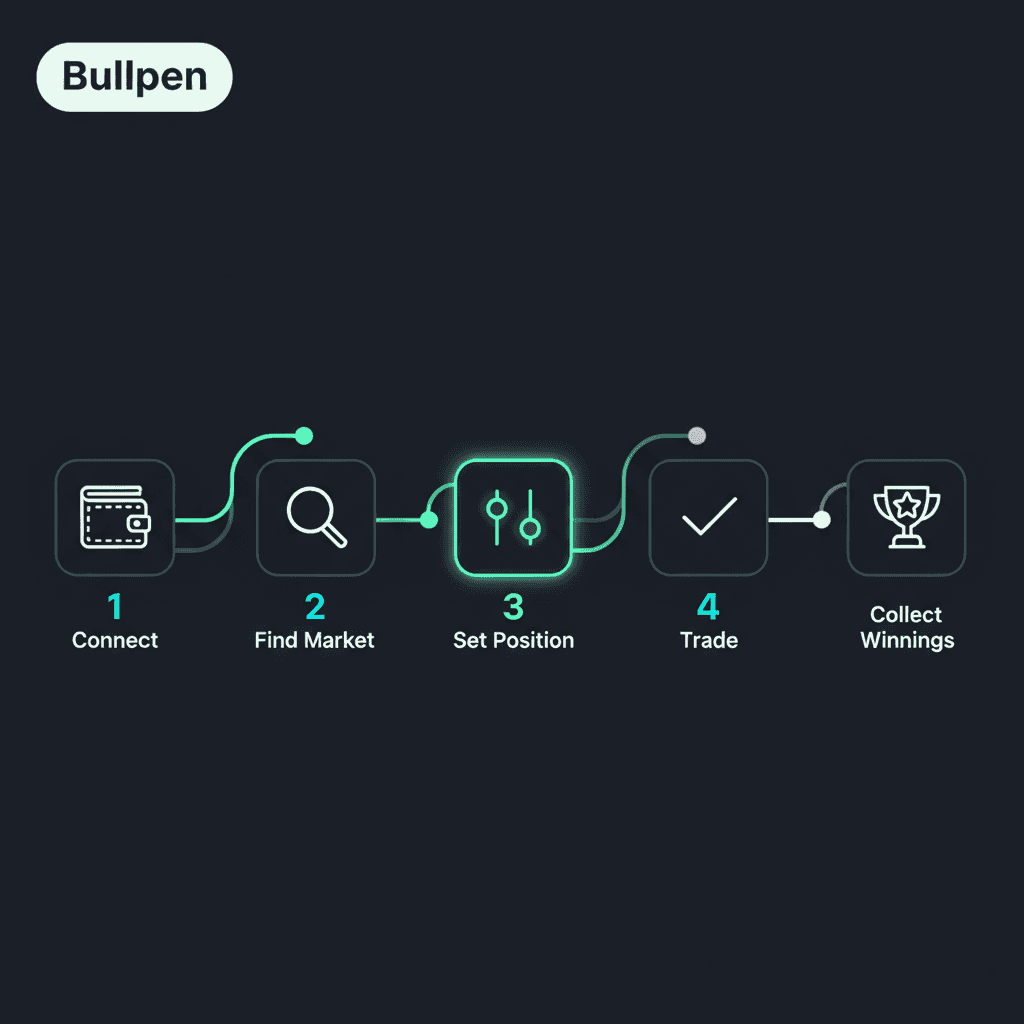
Polymarket looks simple on the surface: pick an outcome, buy shares, wait for resolution. But under the hood, there's a lot more going on—and understanding the mechanics is what separates profitable traders from the crowd. This guide breaks down everything: how markets work, how to place trades, and how to see what smart money is doing before prices move.
The Basic Mechanics
Every Polymarket trade follows the same logic:
Buy shares in an outcome (Yes or No)
Hold until the event resolves, or sell early for profit/loss
Resolution: Winning shares pay $1.00, losing shares pay $0.00
Example trade:
Market: "Will Fed cut rates in March 2026?"
You buy 100 Yes shares at $0.40 each (cost: $40)
If Fed cuts rates: your shares pay out $100 (profit: $60)
If Fed doesn't cut: your shares are worth $0 (loss: $40)
The key insight: the price equals the probability. A $0.40 share implies a 40% chance.
Step 1: Create Your Account
Polymarket offers multiple sign-up options:
Email (simplest for beginners)
Crypto wallet (MetaMask, Coinbase Wallet)
Social login (Google, Apple, Discord)
Polymarket creates a wallet for you automatically if you use email or social login.
Step 2: Deposit Funds
Polymarket uses USDC, a stablecoin worth $1. Deposit options:
Method | Speed | Fees |
|---|---|---|
Credit/Debit Card | 1-5 minutes | ~3% |
Bank Transfer (ACH) | 1-3 days | Free/minimal |
Crypto (USDC on Polygon) | Instant | ~$0.01 gas |
Pro tip: Send USDC on the Polygon network, not Ethereum. Same asset, 100x cheaper fees.
Step 3: Find Markets
Browse by category or search for specific events. Each market shows:
Current price (Yes and No)
Volume (how much has been traded)
Resolution date (when the outcome is determined)
Resolution source (how winner is decided)
Step 4: Place a Trade
Click on a market
Select Yes or No
Enter your amount in USDC
Review: shares received, potential payout
Click Buy and confirm
Your position appears in your portfolio immediately.
Step 5: Monitor and Exit
After buying, you have three options:
Hold to resolution: Wait for the event. If you win, shares convert to $1 USDC each automatically.
Sell early for profit: If the price moves your way, sell before resolution. Buy at $0.40, sell at $0.70 = $0.30 profit per share.
Cut losses: If you change your mind or get new information, sell to limit downside.
The Problem: How Do You Know What to Buy?
This is where most traders struggle. You can see current prices, but you can't see:
Who's buying and selling
Which traders have been right before
When large positions are being built
Without this information, you're trading blind.
How Bullpen Shows You What's Really Happening
Bullpen is the analytics layer that reveals Polymarket's hidden signals.
See Every Trade in Real-Time
Bullpen's Live Trades view shows you exactly what's happening:
Whale trades: Large positions being opened (e.g., "$45K YES at 34¢")
Trade direction: Who's buying vs selling
Wallet history: Click any wallet to see their track record
Track Wallets That Win
Not all traders are equal. Some wallets consistently beat the market.
Bullpen lets you:
Discover profitable wallets — 30-day rolling P&L, win rates, biggest wins
Add to your watchlist — Get alerts when they trade
See what they hold — Current positions across all markets
Get Push Notifications
The best trades happen fast. Bullpen's mobile alerts notify you when:
Smart money moves: "8 wallets with 65%+ win rate bought YES"
Your tracked wallets trade: "theo4 bought $12K YES on Fed rate cut"
Whale enters: "$200K NO on Trump 2028 at 66¢"
Tap the notification. See the trade. Copy if you want. That's the workflow.
Copy Trades Instantly
See a trade you like from a wallet you trust?
Tap the alert
Review the trade details
Click "Copy Trade"
Confirm your size
You're now in the same position as the smart money wallet.
Example Workflow
Let's walk through a real scenario:
10:23 AM: You get a Bullpen notification: "Smart money alert: 6 wallets buying YES on 'Fed cuts March' at 52¢"
10:24 AM: You tap the notification, see the wallet details (all 60%+ win rate, $89K total)
10:25 AM: You copy the trade with $500
2:00 PM: News breaks suggesting Fed is more dovish than expected
2:05 PM: Price moves to 68¢
2:10 PM: You sell for $0.16/share profit (32% return in 4 hours)
This is what edge looks like.
Key Takeaways
Polymarket works like a stock market for events
Share prices equal probabilities ($0.40 = 40% chance)
You can hold to resolution or sell anytime
Bullpen shows you what smart money is doing in real-time
Push notifications + copy trading = the fastest way to act on opportunity
Last Updated:
January 28, 2026